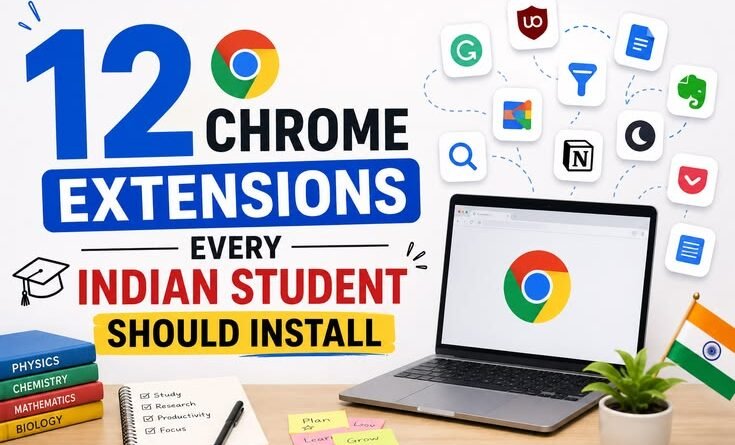
12 Chrome Extensions Every Indian Student Should Install
My third-year engineering exams were three weeks away, and I was drowning. Fourteen tabs open — NPTEL lectures, NCERT PDFs, some random Quora thread that somehow felt important at 1 AM, and a YouTube video I’d paused halfway through. My laptop was wheezing. My notes were a disaster. And somewhere between switching tabs, I’d completely lost track of what I was actually supposed to be studying.
That was the semester I stopped just using Chrome and actually started setting it up. Turns out, there’s a whole world of extensions that most Indian students either don’t know about or haven’t bothered to explore. Some of them genuinely changed how I studied. A few were overhyped. One I use every single day without thinking about it anymore.
Here’s the real, no-fluff list — the ones that are actually worth your time.
1. Grammarly
Best for: Assignments, emails to professors, internship applications
I know, I know. You’ve heard of Grammarly. But hear me out — most students install it, see a few green underlines, and forget about it. They’re missing the real value.
When you’re writing your semester project report or applying for that campus internship, the difference between “I have done projects on machine learning” and “I have completed projects in machine learning” sounds small, but recruiters notice. Grammarly catches these micro-errors constantly.
The free version is honestly enough for most students. The premium upgrade is tempting but not necessary unless you’re writing a thesis or applying for MS abroad.
One mistake I made early on: I used to accept every Grammarly suggestion without reading it. Bad idea. Sometimes it changes your meaning entirely. Always read before you click “Accept.”
2. uBlock Origin
Best for: Literally everyone with a laptop and an internet connection
If you use any Indian educational site — GeeksforGeeks, Javatpoint, W3Schools — you already know the pain. Pop-ups, autoplay ads, subscription banners screaming at you mid-read. uBlock Origin kills all of that.
It’s not just about convenience. It actually speeds up page loading, which matters when you’re on a 5G connection that occasionally decides to behave like 2G. Plus, it blocks tracking scripts, so your browser runs leaner.
Install it once, forget about it. That’s the whole experience. It just quietly does its job in the background.
3. Toby for Chrome (or OneTab)
Best for: Students who habitually open 30 tabs and lose everything
This one I wish someone had told me about in first year.
Toby lets you save groups of tabs so you can close them and reopen the whole group later. I use it like this: I have a saved group called “GATE Prep” — it has NPTEL, Made Easy PDFs, previous year papers, and a couple of YouTube playlists. When I sit down to study, I open the group. When I’m done, I save and close it.
No more “wait, what was that link again?” No more keeping 25 tabs open just in case.
OneTab is the simpler alternative — it collapses all open tabs into a list. Less organized, but faster to use if you just want to clear the clutter quickly.
4. Dark Reader
Best for: Late-night study sessions (every Indian student ever)
Whether you’re grinding UPSC prep at midnight or finishing your assignment at 2 AM, staring at bright white pages is a nightmare for your eyes and your sleep cycle.
Dark Reader adds dark mode to every website — even the ones that don’t have a built-in dark mode. NCERT website? Dark. Some random government portal PDF? Dark. It works surprisingly well across most sites.
You can adjust brightness, contrast, and sepia tone. I keep mine at around 80% brightness with a slight warm tone. Takes a bit of tweaking to find your sweet spot, but once you do, you won’t go back.
5. Forest (or StayFocusd)
Best for: Students who pick up their phone 40 times during a 1-hour study session
Forest is a focus timer that gamifies concentration. You plant a virtual tree and it grows while you study. If you leave the tab, the tree dies. It sounds childish until you realize you’ve genuinely stopped opening Instagram because you don’t want to kill your tree.
StayFocusd is the harder-core version — it lets you block specific sites for set time periods. You can block YouTube, Instagram, and Twitter between 9 AM and 6 PM. It even has a “Nuclear Option” that locks you out of blocked sites for the rest of the day.
I’ve had friends curse at StayFocusd during exam season. That’s how you know it’s working.
6. Google Dictionary (by Google)
Best for: Reading research papers, English medium textbooks, anything academic
Double-click any word on any webpage and a definition pops up instantly. That’s it. Simple, fast, works everywhere.
This sounds basic but think about how often you come across a word in a research paper or a case study and either (a) ignore it and lose context, or (b) open a new tab to search it and fall down a rabbit hole. Dictionary extension eliminates both problems.
For students reading papers in English who didn’t grow up in an English-medium environment — this one’s genuinely useful every single day.
7. Momentum
Best for: Students who want their browser to feel less chaotic
Momentum replaces your new tab page with a clean dashboard — a beautiful background photo, the current time, a personal greeting, and a daily focus goal you set yourself.
Every time you open a new tab, you see: “What is your main focus for today?” It sounds corny but it’s weirdly effective. You stop mindlessly opening tabs and start thinking in terms of goals.
It also has a to-do list built in. Not as powerful as Notion or Todoist, but having it right there on your new tab page means you actually use it.
8. Zotero Connector
Best for: Students doing research projects, dissertations, or competitive exam prep
If you’ve ever tried to manually maintain a list of all your sources for a research paper, you know how painful it gets. Zotero Connector, paired with the free Zotero desktop app, saves sources with one click — including author, date, URL, and title.
When it’s time to write your bibliography, Zotero generates it automatically in whatever format your college requires (APA, MLA, Chicago, etc.).
This is a slightly more niche extension — not everyone needs it. But if you’re in a discipline that requires citations (which is most of them), this saves hours.
9. Wikiwand
Best for: Anyone who uses Wikipedia regularly (which is everyone)
Wikiwand takes Wikipedia and makes it actually pleasant to read. Better typography, a cleaner layout, table of contents on the side, and a dark mode option. The same content, massively better reading experience.
If you’re a history, geography, or science student who ends up on Wikipedia ten times a day, this is one of those small upgrades that just makes your life nicer without you having to think about it.
10. Screenity (Screen Recorder)
Best for: Group projects, online presentations, sharing notes with classmates
Screenity is a free screen recorder right inside Chrome — no downloads, no watermarks, no time limits. You can record your screen with or without your webcam, add annotations while recording, and download the video directly.
I started using this for group project presentations when we couldn’t meet in person. But I’ve also used it to record quick walkthroughs when explaining something to a classmate over WhatsApp. Way faster than typing out a long explanation.
It’s also great if you’re applying for internships and need to record a quick demo of a project.
11. PDF Mergy (or Smallpdf Extension)
Best for: Dealing with the absolute chaos of college PDF management
Every Indian student has a folder full of individual chapter PDFs, scanned notes from different people, and assignment uploads that are somehow always the wrong format. PDF Mergy lets you merge PDFs directly in Chrome without uploading them to a random website.
The Smallpdf extension does more — merge, compress, split, convert Word to PDF. Very useful during submission season when file size limits are suddenly everyone’s problem.
12. Honey (Now PayPal Rewards)
Best for: Students shopping for books, electronics, or anything online
This one’s a bit different from the rest. Honey automatically finds and applies coupon codes when you’re shopping online. Amazon, Flipkart, Myntra — it checks for discount codes at checkout without you having to search for them.
As a student on a budget, I’ve saved anywhere from ₹50 to ₹800 on random purchases just because Honey happened to find a working code. It’s not going to change your life, but it’s one of those “why wouldn’t you have this installed” extensions.
A Few Things to Keep in Mind
Extensions can slow down your browser if you install too many. The rule I follow: if I haven’t used it in two weeks, it gets removed. Keep your active extensions under 10-12 at a time.
Also, be careful about random extensions from unknown developers. Some of them track your browsing data or inject ads. Stick to extensions with a large number of reviews and a reputable developer. Every extension in this list is well-established and widely used.
One more thing — Chrome extensions sync across devices if you’re signed into your Google account. So if you set up your laptop well, your college computer or your desktop at home will have the same setup automatically.
Where to Start
If you’re going to install just three from this list right now, make it uBlock Origin (immediate quality of life upgrade), Toby (tab management sanity), and Dark Reader (eye health over the long run). Everything else is layer two — install them as you find your workflow and figure out what you actually need.
The goal isn’t to have every extension installed. It’s to have the right ones that genuinely make studying less painful and more focused. That took me a full semester to figure out through trial and error. Hopefully this list saves you the trouble.